Every agent in one window
DMN is built around your terminals and your agents. Claude Code, Codex and your shells run side by side, and everything around them shows what they're doing. Each demo on this page is the app's own interface, running on sample data.
Each agent in its own pane
Each agent gets its own pane. The Claude Code and Codex CLIs run in real terminals, exactly as they do anywhere else. Claude Code can also run in DMN's chat pane, which shows each turn as your prompt, the agent's activity and its result. Plain shells sit next to them.
- Layouts: Balanced tiles every pane, Spotlight gives the focused one two thirds, Rail three quarters.
- Workspaces, as tabs, for separate sets of panes.
- A toast when an agent finishes, so you can look away.
The Fleet panel
Every pane has a card: its status, what it's doing now, the model it runs, and the lines it has added and removed. Click a card to jump to that agent.
The rail beside it switches to Changes, grouped by the agent that made them, and Memory, the notes agents have saved for each other.
+ agent opens the spawn sheet: pick a CLI, open it as a terminal or a chat, and run it in the project root, a folder, or its own git worktree.
From terminal output to the code
A path:line in any terminal's output is a link: click it and the file opens at that line. Code
panes sit beside your terminals, and a follow pane tracks the file an agent edited last.
Open a file an agent has just edited and the editor says which agent it was. view diff shows the change.
Ctrl+` flips between the fleet and the editor.
Terminals that know what ran
- Command blocks. Each command is marked with its exit status (OSC 133).
- Omnibox (Ctrl+P): one box for commands, files, code search, panes, and handing a task to an agent.
- Git drawer (Ctrl+G) for what changed.
- WSL: move a project into WSL behind a command jail.
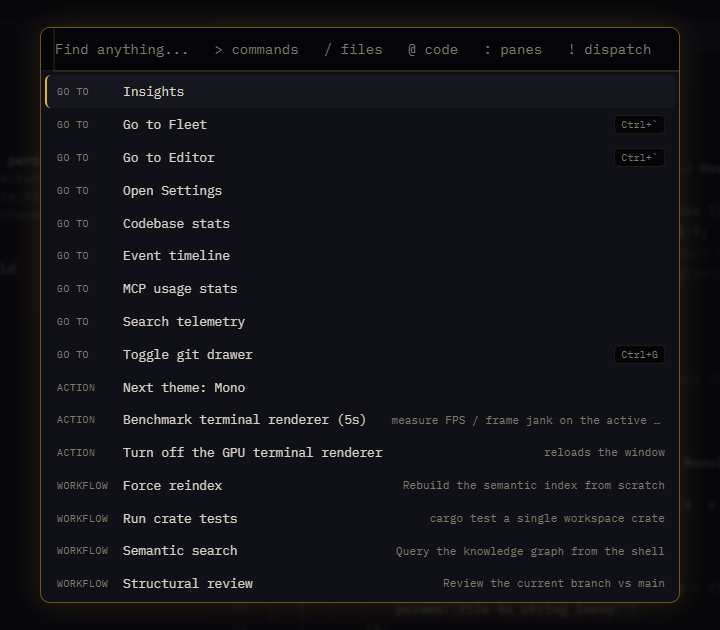
The omnibox. Screenshot of the app with sample data.
See your whole project at a glance
Codebase stats shows how big your project is, how it grew commit by commit, a map of where the code lives, and how many of the commits your agents made. Open it from the lines count in the top bar, or from the command palette.
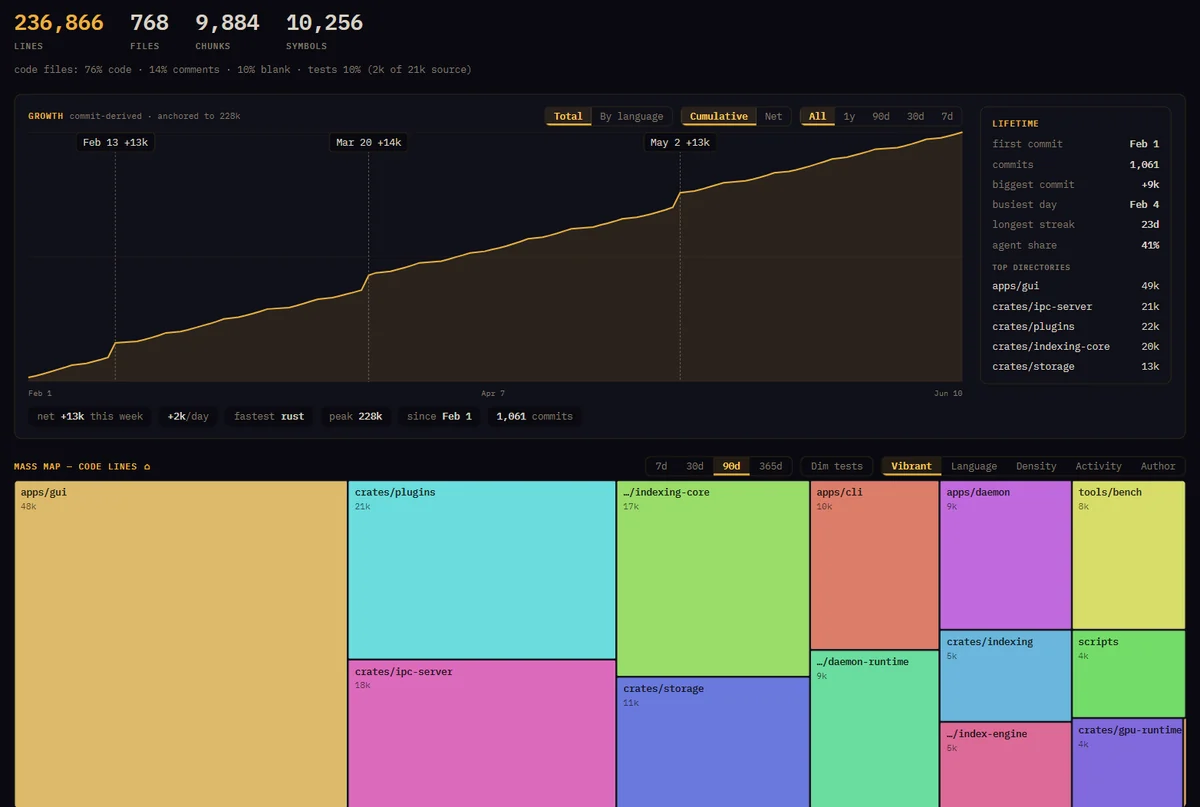
Codebase stats. Screenshot of the app with sample data.
Six themes
From Phosphor, amber on midnight, to Paper for daylight. Pick one here and this whole site changes with the app, and it stays picked on every page.
See what the engine adds
The engine under the workspace saves your agents tokens and keeps them working together.